How to Start Improving Conversion Rates Without Rebuilding Your Entire Website
How to Start Improving Conversion Rates Without Rebuilding Your Entire Website
Reading time: 14 minutes
Here’s a scenario that plays out in boardrooms and startup offices every single week: traffic is decent, the product is solid, the ads are running — but sales aren’t moving. Someone suggests a full website redesign. The team nods. A six-figure budget gets approved. Six months later, the new site launches… and conversions barely budge.
Sound familiar? You’re not alone. The instinct to “rebuild everything” when conversions stall is one of the most common — and expensive — mistakes in digital marketing. But here’s the straight talk: most conversion problems don’t require a new website. They require a sharper focus on what’s already broken.
In 2026, with user attention spans shorter than ever and acquisition costs at all-time highs, optimizing what you already have isn’t just smart — it’s survival. This guide will show you exactly where to start, what to fix first, and how to turn small, targeted changes into measurable revenue growth.
Table of Contents
- Why Rebuilding Rarely Solves the Real Problem
- Diagnosing Your Conversion Leaks First
- Quick Wins That Move the Needle Fast
- Building a Lean CRO Strategy Without Big Resources
- Real-World Case Studies: Small Fixes, Big Lifts
- CRO Tactics Compared: Effort vs. Impact
- Conversion Impact by Optimization Area
- Common Challenges and How to Overcome Them
- Frequently Asked Questions
- Your CRO Action Plan: Start This Week
Why Rebuilding Rarely Solves the Real Problem
Let’s be honest about why full redesigns feel appealing. When something isn’t working, the impulse is to tear it down and start fresh. It feels decisive, bold, and thorough. But conversion rate optimization (CRO) research consistently tells a different story.
According to a 2025 report by the Baymard Institute, the average e-commerce checkout abandonment rate sits at 70.19% — and the overwhelming majority of those abandonments are caused by friction points that have nothing to do with visual design. Unclear CTAs, slow page load times, confusing form fields, lack of trust signals — these are the culprits. A shiny new template doesn’t fix any of them.
Moreover, a full website rebuild introduces enormous risk. You lose your SEO equity. You disrupt familiar navigation patterns your existing users depend on. You burn months of development time when you could have been testing and iterating. As Peep Laja, founder of CXL Institute, has noted: “Most websites don’t need redesigns. They need targeted experiments based on actual user data.”
The 2026 digital landscape has made precision even more critical. With Google’s Helpful Content updates maturing and Core Web Vitals now directly tied to ad quality scores, every page on your site is a performance asset. Optimizing existing pages — rather than rebuilding from scratch — lets you compound improvements systematically without gambling your entire online presence on a single launch.
The Hidden Cost of “Start Over” Thinking
Before you approve that redesign budget, consider what a rebuild actually costs beyond the invoice. A typical mid-size business website redesign in 2026 runs between $25,000 and $150,000 depending on complexity. Add to that 3–6 months of team distraction, potential ranking drops during the transition, and a 6–12 week period of user adjustment — and you’re looking at a significant opportunity cost.
Compare that with a structured CRO program. According to Invesp’s 2025 CRO benchmarking data, companies that invest in conversion optimization see an average ROI of 223%, and the most successful programs achieve meaningful lifts within 30–90 days. The math strongly favors optimization over reconstruction.
Diagnosing Your Conversion Leaks First
Think of your website as a pipeline. Water gets in (traffic) and should flow out the other end (conversions). Your job before touching a single headline or button color is to find where the water is leaking. This diagnostic phase is the step most teams skip — and it’s the reason so many CRO efforts underperform.
The Four-Step Conversion Audit Framework
Here’s a practical roadmap for identifying your highest-impact opportunities without guesswork:
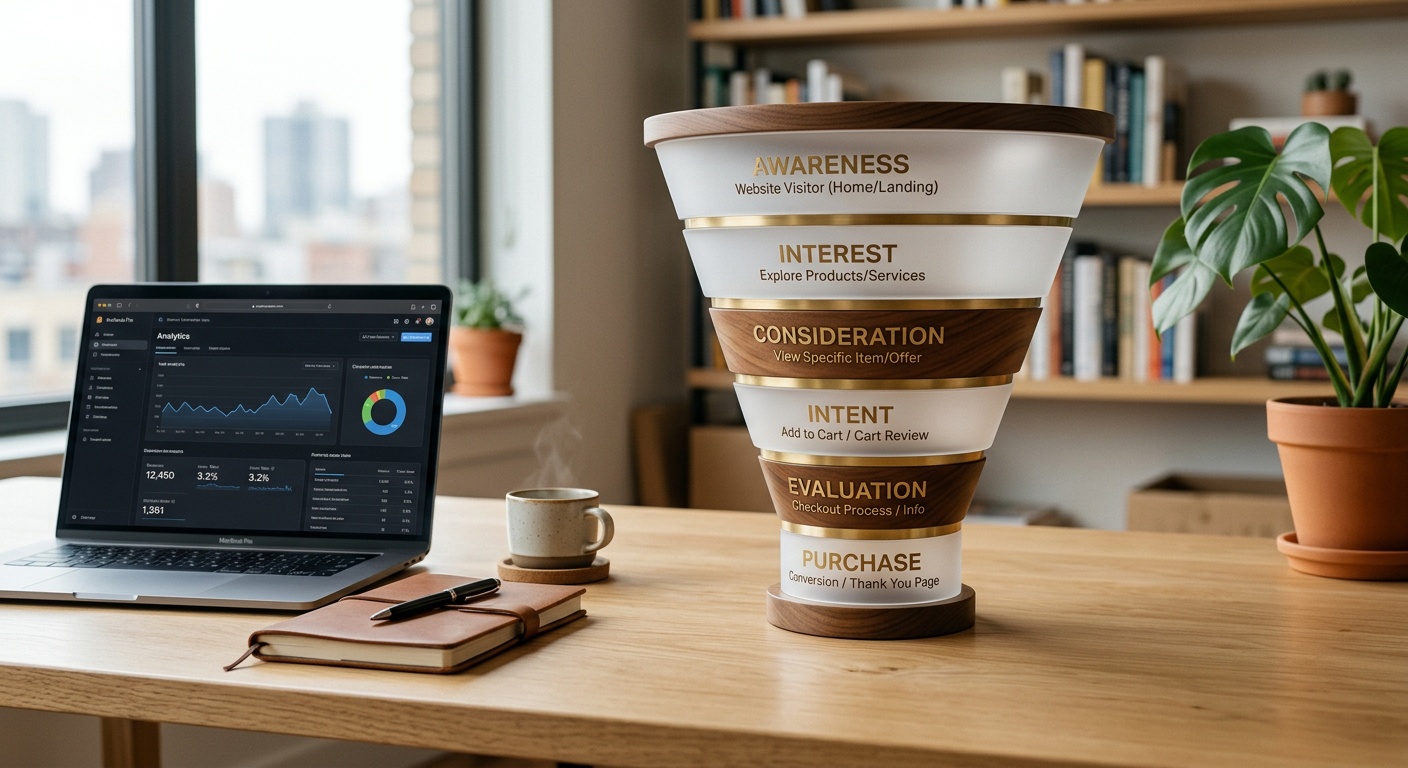
- Map Your Conversion Funnel: Define every step a user takes from landing on your site to completing your primary goal (purchase, sign-up, booking, etc.). Use Google Analytics 4’s funnel exploration feature or a tool like Hotjar to visualize drop-off at each stage.
- Identify Your Top Exit Pages: Sort your pages by exit rate within the funnel. The page where the most users leave before converting is your starting point — not your homepage, not your hero section.
- Analyze Session Recordings: Watch 20–30 real user sessions on your highest-exit pages. Look for rage clicks, scroll stoppage, hesitation before form fields, and confusion at navigation points. This qualitative data is gold.
- Run a Heuristic Evaluation: Walk through your site as a first-time visitor and score each page on clarity (does the user immediately understand the offer?), friction (how many steps to convert?), and trust (are credibility signals present?).
Pro Tip: Don’t try to fix everything at once. After your audit, rank your findings by potential impact multiplied by implementation ease. Start with high-impact, low-effort fixes — they build momentum and generate early data.
Key Metrics to Benchmark Before You Begin
- Overall conversion rate (industry average for e-commerce in 2026: approximately 2.5–3.2%)
- Bounce rate by landing page
- Time on page vs. scroll depth correlation
- Form abandonment rate (field-by-field, if possible)
- Mobile vs. desktop conversion gap (a gap above 1.5x indicates mobile-specific friction)
Quick Wins That Move the Needle Fast
Once you’ve diagnosed your leaks, certain categories of fixes consistently produce outsized results with minimal development effort. These are your immediate priorities.
1. Clarify Your Value Proposition Above the Fold
Your homepage headline has approximately 8 seconds to communicate who you are, what you do, and why it matters to the visitor. In 2026, with AI-generated content flooding every industry, generic headlines like “Solutions for Modern Businesses” are conversion killers. Users need specificity.
A strong value proposition answers three questions instantly: What do you offer? Who is it for? What’s the primary benefit? Compare “We help companies grow” with “We help B2B SaaS companies reduce churn by 30% in 90 days.” The second version is five times more compelling — not because it’s longer, but because it’s specific and outcome-focused.
To improve your value proposition without a redesign, simply rewrite your headline and sub-headline, then A/B test both versions using your existing CMS or a tool like Google Optimize or VWO.
2. Optimize Your Call-to-Action Buttons
This sounds almost too simple to mention — but CTA optimization is one of the highest-ROI interventions in CRO. Three elements drive CTA performance:
- Copy: Action-specific language outperforms generic labels. “Start My Free Trial” converts significantly better than “Submit.” “See My Personalized Plan” beats “Learn More” by as much as 90% in some A/B tests.
- Contrast: Your CTA button must visually stand apart from the page background. If your site uses a blue color scheme, a blue button blends in. An orange or green button pops.
- Placement: Every major section of a long-form landing page should contain a CTA. Users make decisions at different scroll depths — don’t make them scroll back to the top to act.
3. Add Trust Signals Strategically
In an era of AI-generated reviews and deepfake testimonials, trust has become the single most valuable currency in digital commerce. A 2025 Edelman Trust Barometer study found that 67% of online consumers check for social proof before making a first purchase — and they’re increasingly skeptical of generic star ratings.
Effective trust signals in 2026 include:
- Named, photo-verified testimonials with specific outcomes (“Increased revenue by $47K in Q3 2025”)
- Real-time social proof widgets (“14 people viewing this right now” or “Sold 230 units today”)
- Third-party verification badges (BBB, Trustpilot, G2, industry certifications)
- Transparent pricing and refund policies placed near CTAs — not buried in footers
- Founder or team stories that humanize the brand authentically
4. Reduce Form Friction Dramatically
Every additional field in a form reduces completion rates. A landmark study by Unbounce found that reducing a lead generation form from 11 fields to 4 fields increased conversions by 120%. Yet in 2026, many websites still ask for company size, phone number, job title, and multiple preference selections before the user has any relationship with the brand.
The fix is straightforward: audit every field in every form. Ask “Do we actually need this at this stage?” If the answer is “it’s nice to have,” remove it. You can gather additional data later through progressive profiling once the initial conversion is complete.
Building a Lean CRO Strategy Without Big Resources
You don’t need a dedicated conversion team or enterprise-level testing software to run effective CRO. What you need is a structured process and disciplined prioritization.
The most effective lean CRO framework follows a continuous loop: Observe → Hypothesize → Test → Analyze → Implement → Repeat. Each cycle should take no longer than 2–4 weeks to maintain momentum.
Recommended Tools for 2026 (Most With Free Tiers)
- Hotjar or Microsoft Clarity: Heatmaps, session recordings, and user surveys — essential for qualitative data
- Google Analytics 4: Funnel analysis, audience segmentation, and event tracking
- VWO or Optimizely: A/B testing and multivariate testing without developer dependency
- Typeform or Tally: Exit-intent surveys to capture why users are leaving
- PageSpeed Insights: Core Web Vitals monitoring — critical since speed directly impacts conversion rates
Quick scenario: Imagine you’re running a SaaS platform with 15,000 monthly visitors and a 1.8% free trial conversion rate. Instead of rebuilding, you run a heatmap analysis and discover 60% of users never scroll past the pricing section because the page loads slowly on mobile. You optimize images and defer non-critical scripts — a two-day technical fix. Trial signups jump to 2.4%. That’s 90 additional trials per month from a single intervention, without touching your design.
Real-World Case Studies: Small Fixes, Big Lifts
Case Study 1: E-Commerce Fashion Brand — The Checkout Button Rewrite
In early 2025, a mid-size direct-to-consumer apparel brand noticed their add-to-cart rate was healthy (8.2%) but their checkout completion rate was only 31%. Rather than redesigning their checkout flow, their CRO team analyzed session recordings and identified a single friction point: the checkout button read “Proceed to Payment” — language that subconsciously triggered hesitation about being charged.
They tested three alternatives: “Complete My Order,” “Get It Delivered,” and the original. “Get It Delivered” won with a 23% improvement in checkout completions — generating an estimated $380,000 in incremental annual revenue from changing 18 characters of text.
Case Study 2: B2B Software Company — The Social Proof Repositioning
A project management SaaS company had impressive customer logos prominently displayed on their homepage — but conversions from their demo request page were flat. An A/B test revealed that moving three specific testimonials (ones that mentioned reducing meeting time and cutting project delays) from the homepage to directly above the demo request form increased demo bookings by 34% in six weeks.
The insight: trust signals must be contextually relevant to the conversion action. Generic logos build brand credibility. Outcome-specific testimonials placed at the moment of decision reduce hesitation and close the intent gap.
CRO Tactics Compared: Effort vs. Impact
| CRO Tactic | Implementation Effort | Avg. Conversion Lift | Time to Results | Cost Level |
|---|---|---|---|---|
| CTA Copy Optimization | Low | 10–30% | 1–2 weeks | $ |
| Form Field Reduction | Low | 20–120% | 2–3 weeks | $ |
| Page Speed Optimization | Medium | 15–40% | 2–4 weeks | $$ |
| Strategic Trust Signal Placement | Low–Medium | 15–35% | 2–3 weeks | $ |
| Full Website Redesign | Very High | Variable (–10% to +20%) | 6–12 months | $$$$ |
Conversion Impact by Optimization Area
The following visualization shows the average percentage improvement in conversion rates when each area is optimized, based on aggregated 2024–2025 industry data from CXL Institute and Baymard Research:
Average Conversion Rate Improvement by Optimization Area
*Chart scaled relative to highest-impact factor (Value Proposition = 100% of bar width)
Common Challenges and How to Overcome Them
Challenge 1: “We Don’t Have Enough Traffic to Run A/B Tests”
This is the most common objection to starting CRO — and it’s partially valid. A/B tests require statistical significance, which typically means hundreds of conversions per variant. If you’re getting 500 monthly visitors, traditional split testing won’t work reliably.
The solution: Shift your approach to qualitative research. User interviews, usability testing sessions (even 5 users uncover 85% of usability issues, per Nielsen’s classic research), and customer surveys generate actionable insights without traffic volume requirements. Use these to make informed changes, then track before/after performance over 4-week periods as your baseline proxy for impact.
Challenge 2: Internal Stakeholders Who Resist Small Changes
Here’s a scenario that plays out constantly: your CRO audit reveals the pricing page headline needs rewriting. Your CMO spent months crafting the original copy. Suddenly, a data-driven recommendation becomes a political negotiation.
The solution: Frame every test as a learning exercise, not a criticism of existing work. Present hypotheses with supporting data, not opinions. When you propose an A/B test, you’re not saying “this is wrong” — you’re saying “let’s find out what users prefer.” This framing dramatically reduces internal resistance and accelerates test approval cycles.
Challenge 3: Improvements That Don’t Stick
Many CRO programs achieve early wins, then plateau — or worse, revert. This often happens because changes are made in isolation without updating the underlying template or component, causing new deployments to overwrite optimized versions.
The solution: Create a CRO documentation log — a simple shared document tracking every test, its hypothesis, results, implementation status, and date. This becomes institutional memory, prevents regression, and enables compounding improvements over time. The best CRO programs in 2026 treat optimization as a permanent operating system, not a one-time project.
Frequently Asked Questions
How long does it take to see measurable results from CRO changes?
Meaningful results typically appear within 2–8 weeks depending on your traffic volume and the scale of changes. High-traffic pages with simple copy or CTA changes can show statistically significant shifts in as little as 10–14 days. More complex changes — like restructuring a checkout flow or redesigning a landing page section — benefit from longer test windows of 4–6 weeks to account for weekly behavioral cycles. The key is not to call tests too early. Premature conclusions are one of the leading causes of failed CRO programs.
Should I prioritize mobile or desktop optimization first?
In 2026, mobile traffic accounts for approximately 63% of all global web traffic, but desktop users still convert at roughly 1.8x the rate of mobile users in most industries. This gap is your opportunity signal. If your mobile conversion rate is significantly below your desktop rate — especially by more than 40% — mobile optimization should be your first priority. Focus on reducing tap target friction, simplifying mobile navigation, and ensuring your CTA buttons are thumb-friendly (minimum 44×44 pixels). Improving mobile parity alone can generate substantial revenue lifts for most businesses.
What’s the single most impactful CRO change a beginner can make today?
Rewrite your primary landing page headline to be outcome-specific rather than feature-focused. This single change requires no development resources, can be deployed in minutes via most CMS platforms, and directly addresses the most critical moment in your conversion funnel — the first 8 seconds of a visitor’s experience. Support the new headline with a concrete sub-headline that addresses your visitor’s primary pain point or desired outcome, and pair it with a CTA that uses first-person language (“Start My Free Trial” vs. “Start Your Free Trial”). Run this as an A/B test against your current version and let the data guide your next step.
Your CRO Action Plan: Start This Week
Conversion optimization isn’t a project you complete — it’s a discipline you build. And in 2026, where every percentage point of conversion rate improvement directly compounds your customer acquisition efficiency, the businesses winning online aren’t necessarily those with the most beautiful websites. They’re the ones that understand their users most deeply and remove friction most systematically.
Here’s your practical roadmap for the next 30 days:
- Days 1–3 — Audit First: Set up Hotjar or Microsoft Clarity on your top 5 highest-traffic pages. Install funnel tracking in GA4. Watch 25 session recordings on your primary conversion page before touching anything.
- Days 4–7 — Identify Your #1 Leak: Pull your funnel drop-off data and identify the single page with the highest abandonment rate within your conversion flow. That’s your starting point.
- Days 8–14 — Implement One Quick Win: Based on your session recordings and heuristic review, select one high-confidence change (CTA copy, form simplification, trust signal placement). Implement it as an A/B test. Document your hypothesis.
- Days 15–28 — Let Data Accumulate: Resist the urge to check results daily or call the test early. Run it for a full two weeks minimum. Meanwhile, prepare your next hypothesis.
- Day 29–30 — Review, Document, and Iterate: Analyze results, implement the winner, document the learning, and begin your next test cycle. Compounding begins here.
As AI-driven personalization continues to reshape digital experiences through 2026 and beyond, the businesses that will thrive are those that already understand the fundamentals of human decision-making online — and use that understanding to eliminate doubt, reduce friction, and make saying “yes” feel effortless.
You don’t need a new website. You need a sharper eye for what’s already holding your current one back. Start your audit this week — and you may be surprised how much revenue is already sitting in your existing pages, waiting to be unlocked.
What’s the one page on your website where you know — gut feeling and data both — that too many visitors are leaving without converting? That’s where your CRO journey begins.